Create a guardrail
A custom guardrail bundles one or more rules under a name, a scope, and an effect. Authoring one takes four decisions: what to call it, which resource type it inspects, what happens on violation, and which rules belong inside it.
Before you start
- Author the rules first (or pick existing ones). A guardrail must reference at least one rule. See Create rules.
- You need account
AdminorOwnerto create, update, or delete a guardrail. Other members can read but not edit. - The guardrail
namemust be unique inside the account.
Create
-
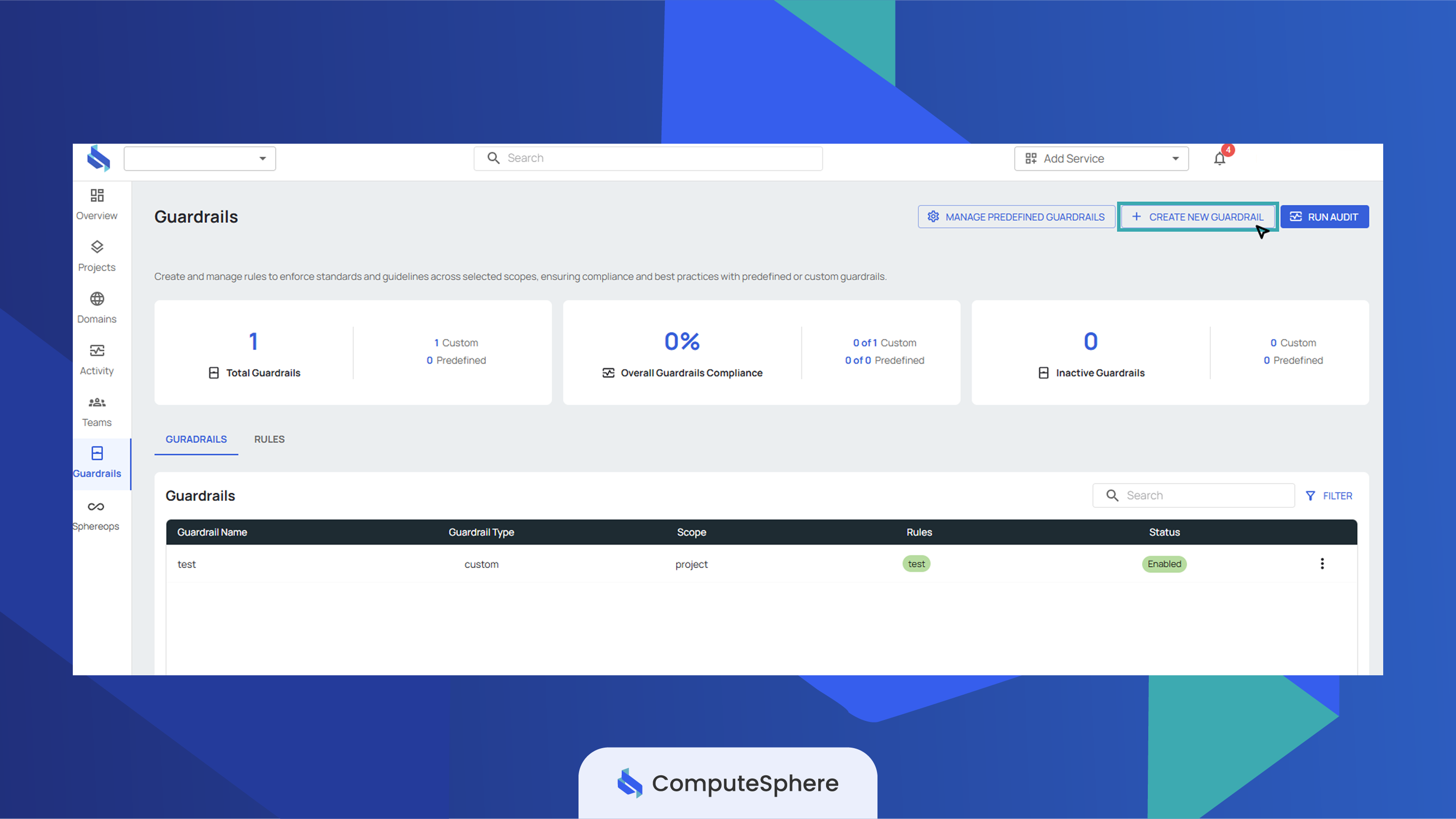
Open the Guardrails tab and click Create New Guardrail.
-
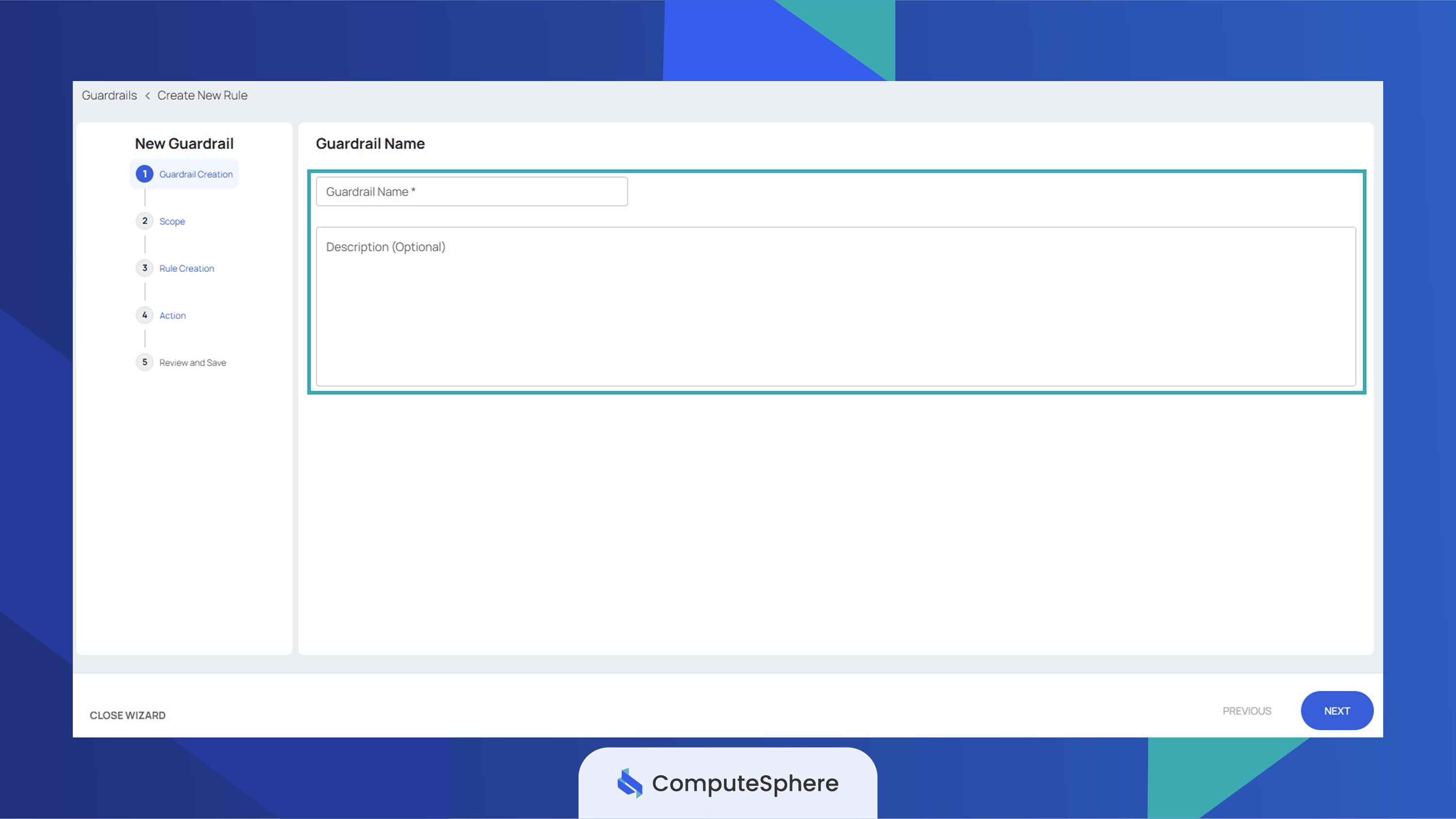
Enter a Name and an optional Description.
-
Pick a Scope — the resource type this guardrail inspects.
Scope What it evaluates Project Project name and description. Environment Environment name and description. Service Service name and description. 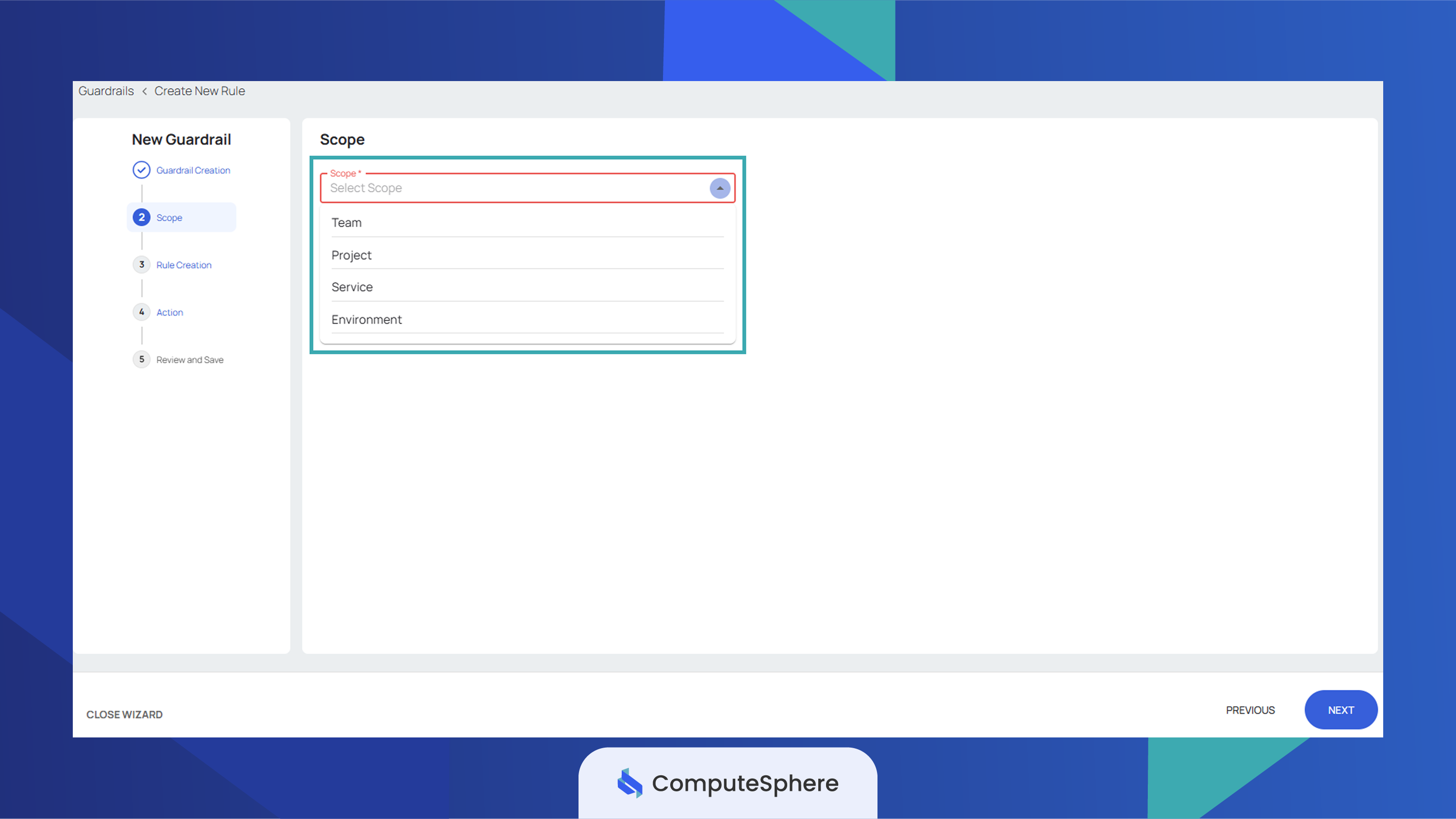
-
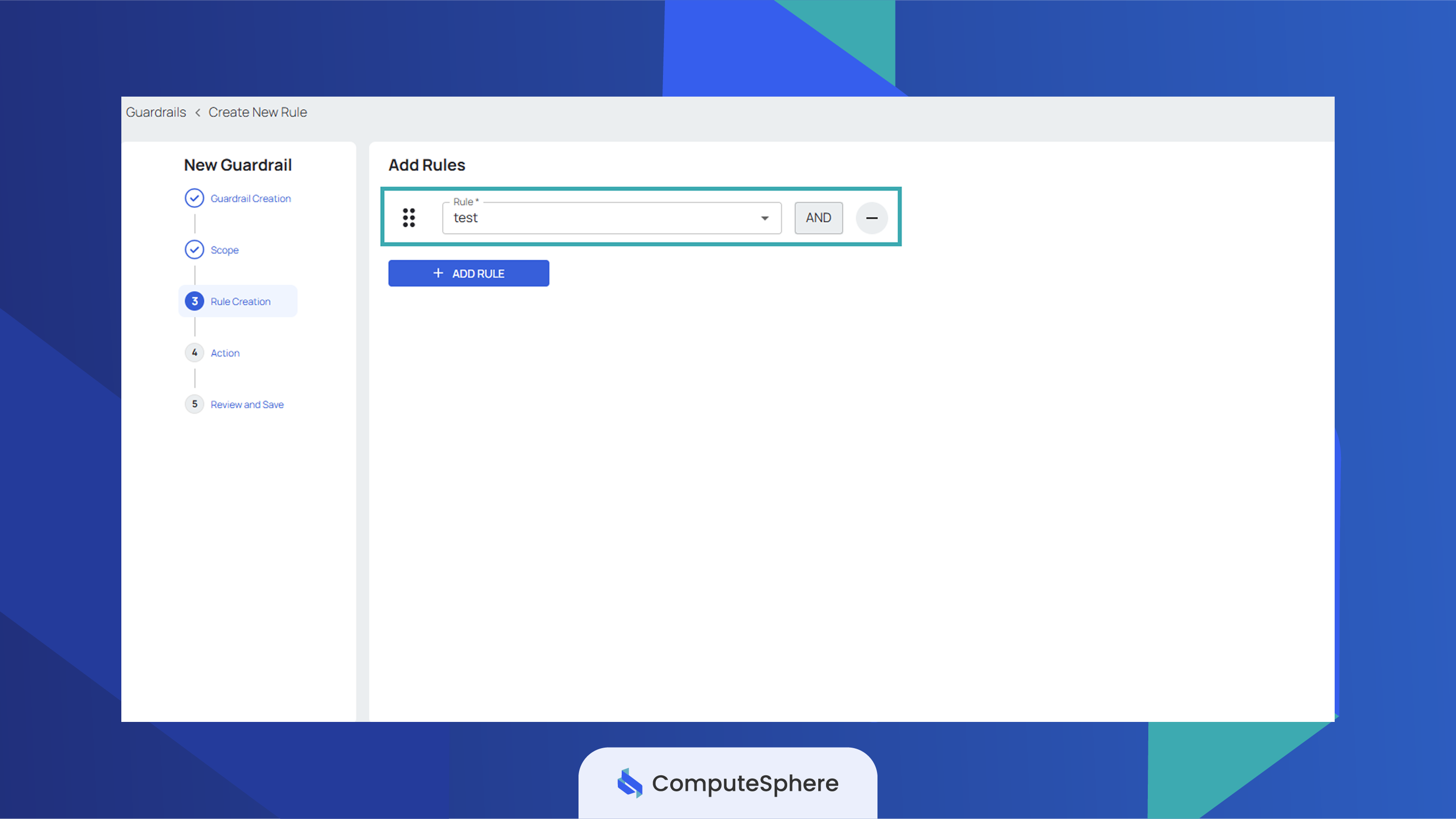
Attach one or more Rules from your rule library. If the list is empty, see Create rules first.
infoA single guardrail can carry multiple rules — all evaluated together. Every rule in the same guardrail must share the same scope.
-
Pick an Effect — what happens when a rule inside the guardrail is violated.
Effect Behavior Block The create or update operation is rejected. The actor sees the guardrail's message.Warn The operation is allowed; the violation is surfaced in audit results and in the console. 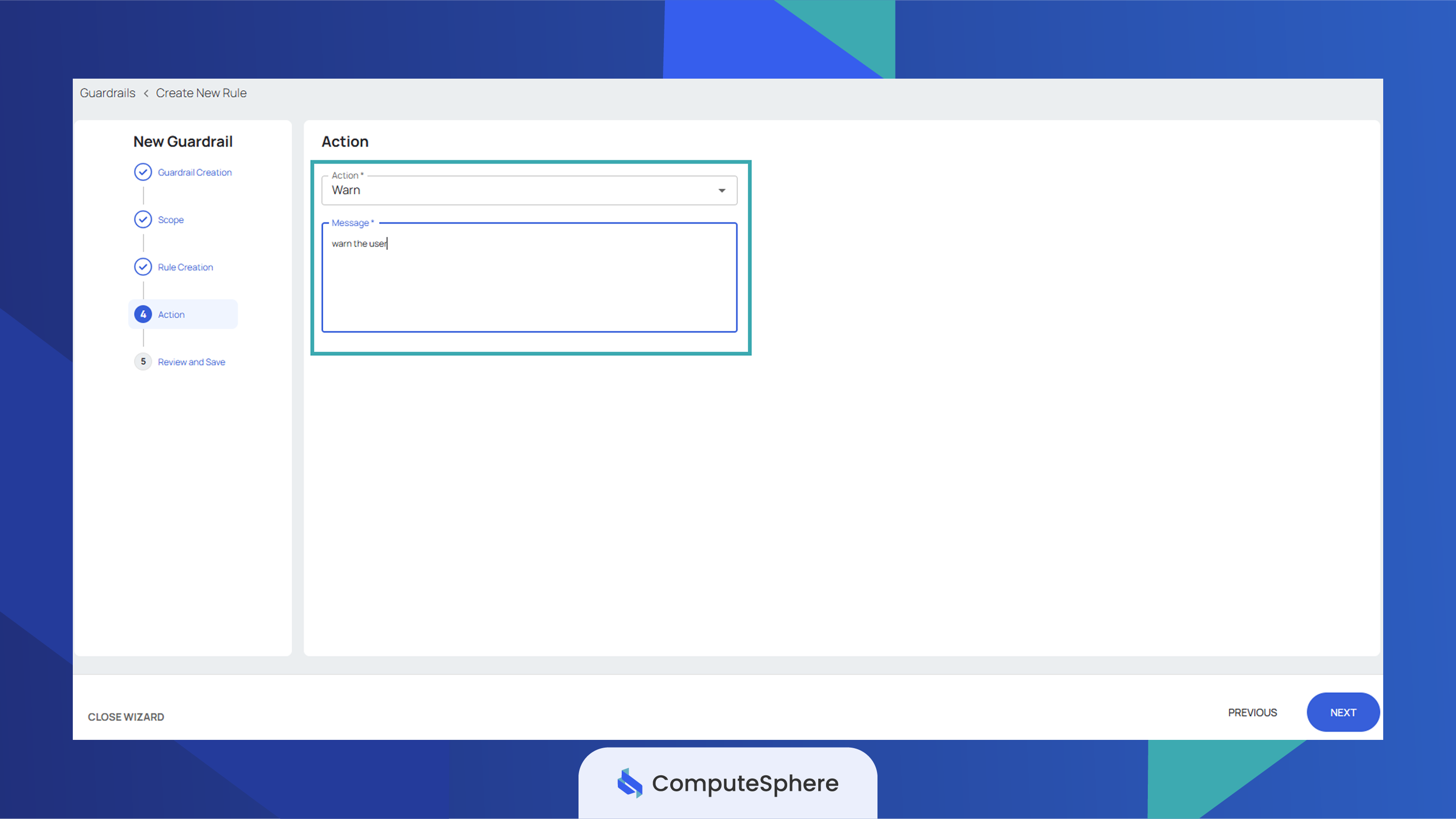
-
Review the configuration and click Create.
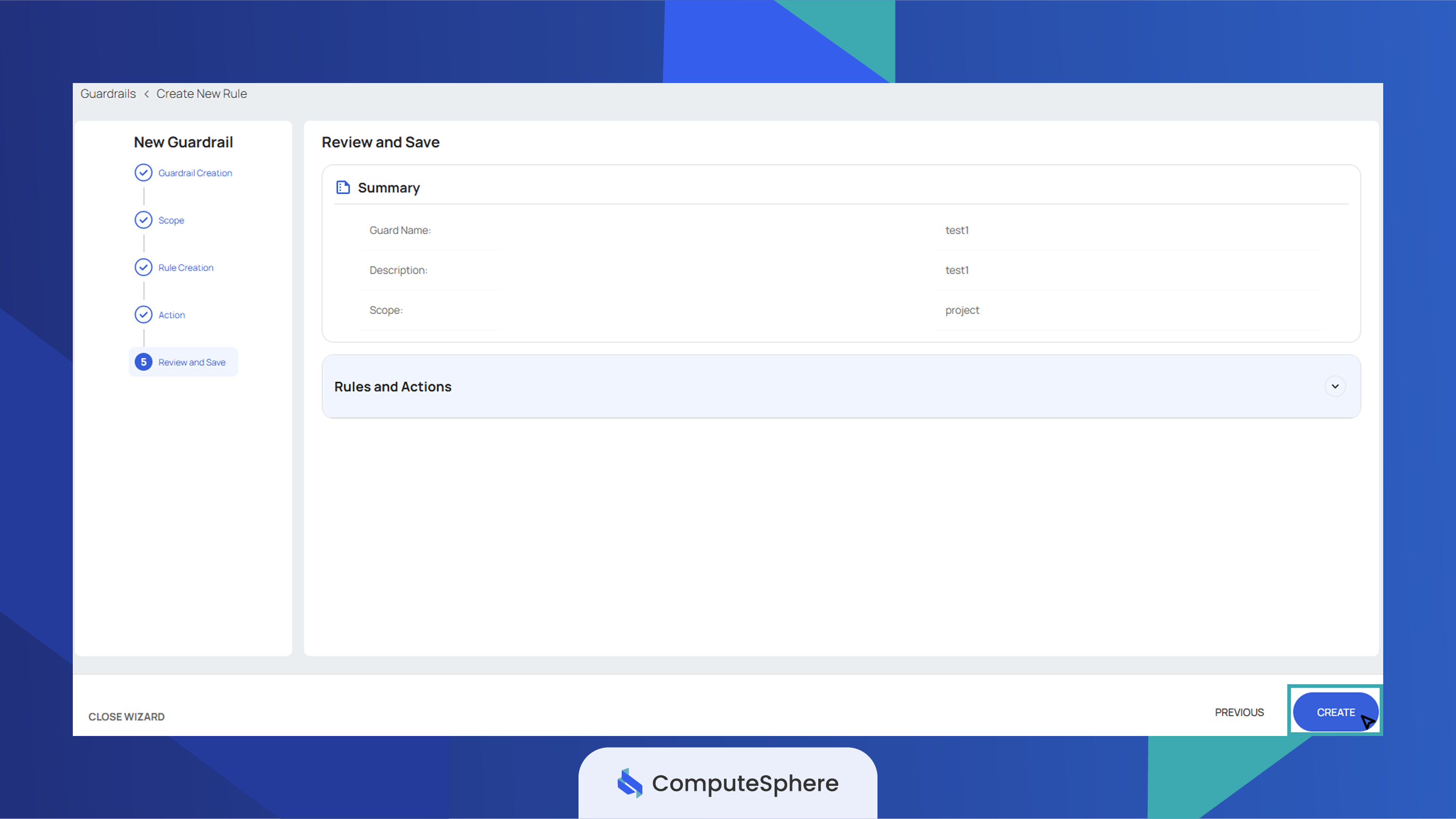
-
To validate the new guardrail against your existing resources, click Run Audit from the guardrail list.
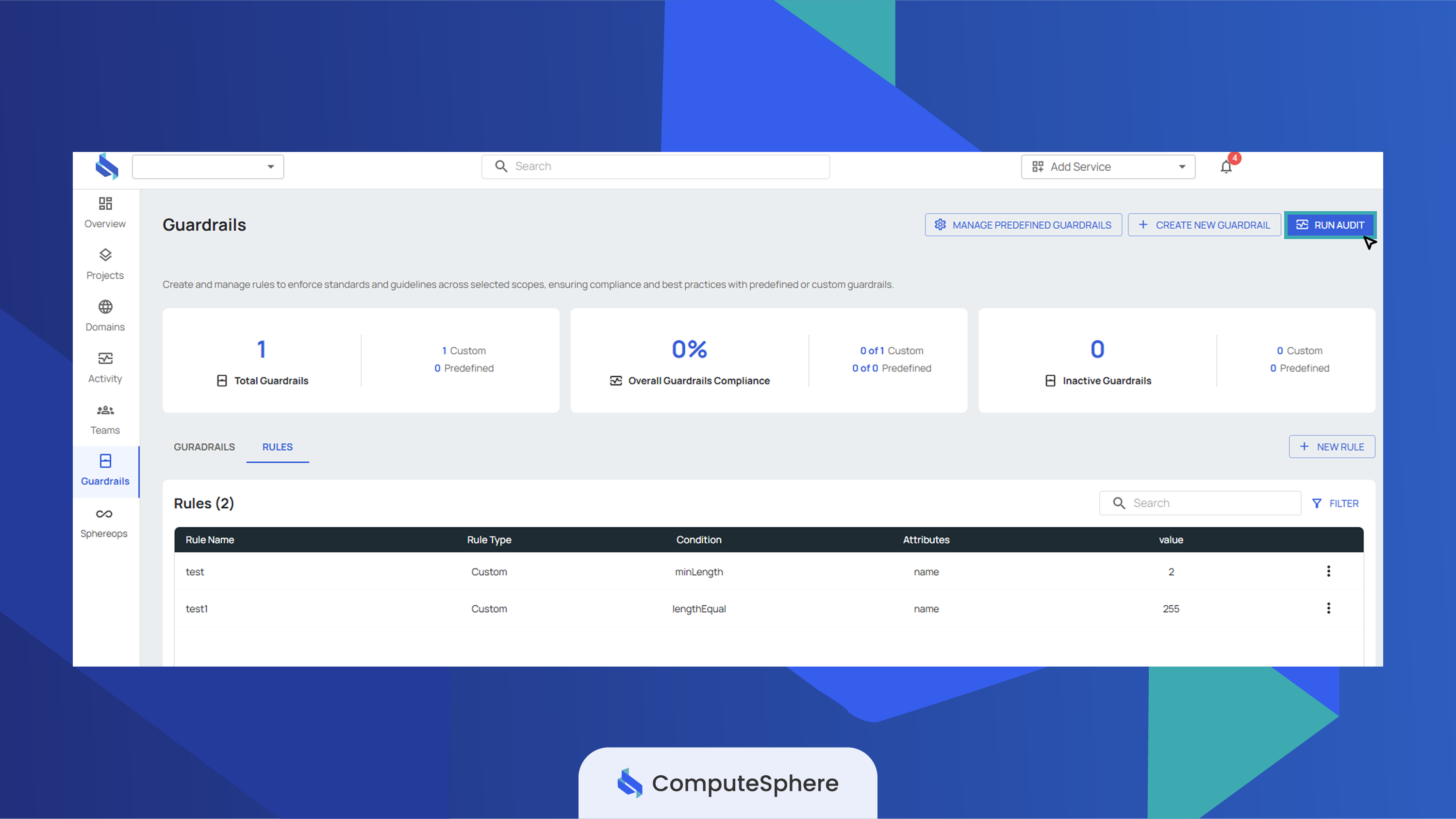
The guardrail is created in the enabled state by default. Toggle it off from the guardrail row if you want to author it now and activate it later.
Edit a guardrail
Edits replace the full guardrail — send every field you want preserved.
-
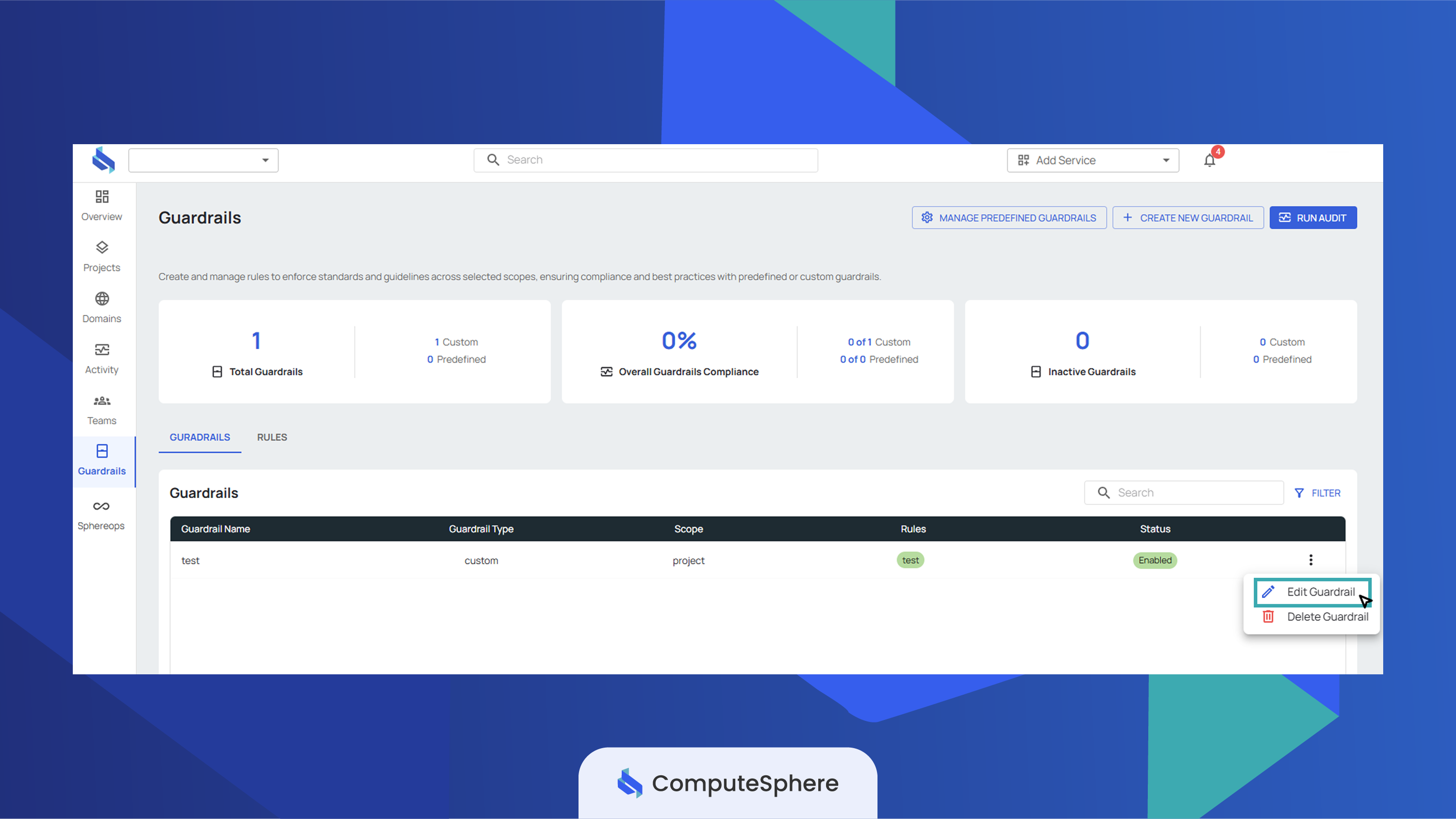
Open the Guardrails tab. Click the row's action menu.
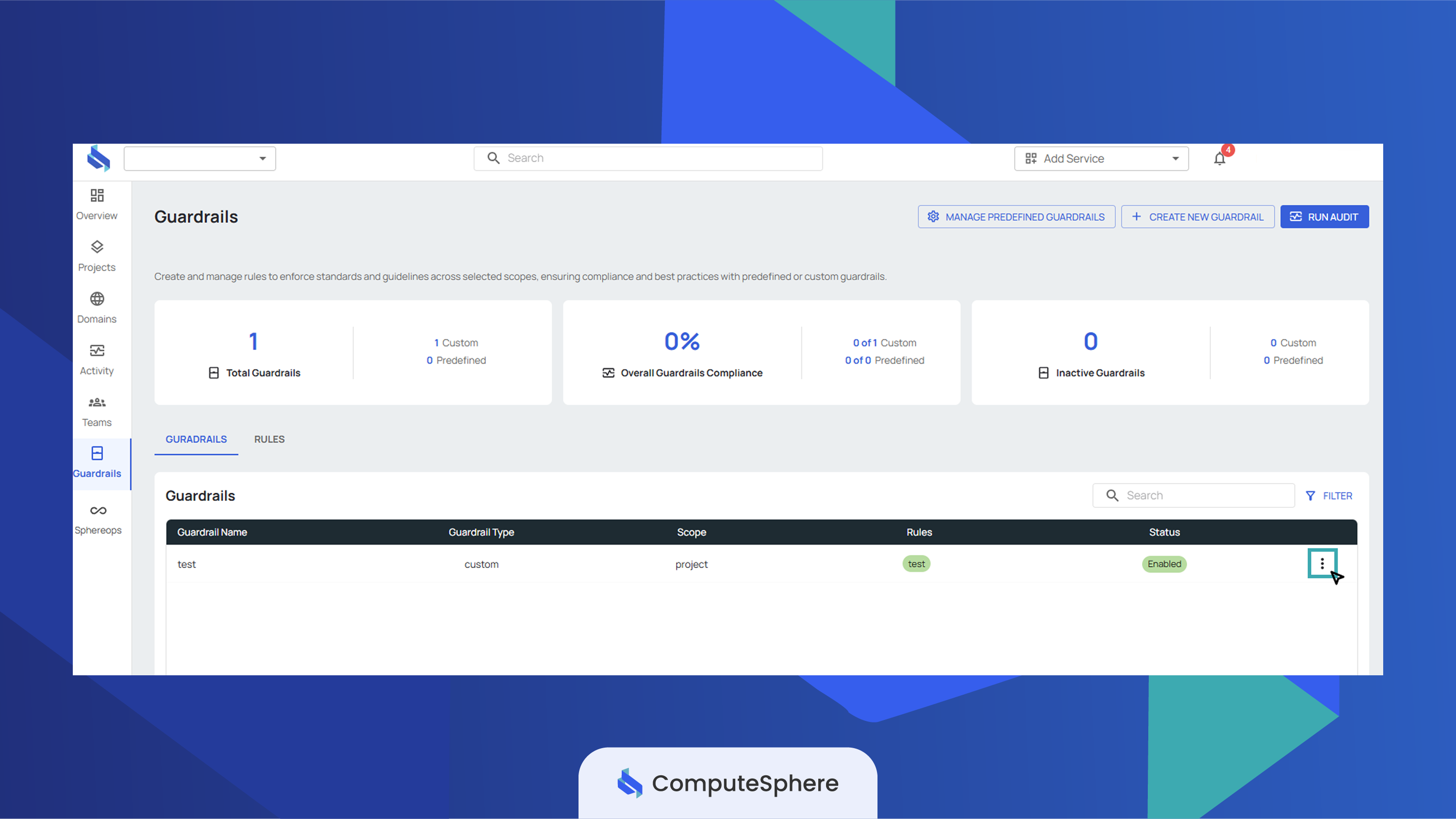
-
Click Edit Guardrail and adjust the fields. Scope is editable but rules must continue to match the new scope.
Delete a guardrail
Deletes are permanent. The audit history captured under the guardrail stays in the audit log; the guardrail itself stops evaluating immediately.
-
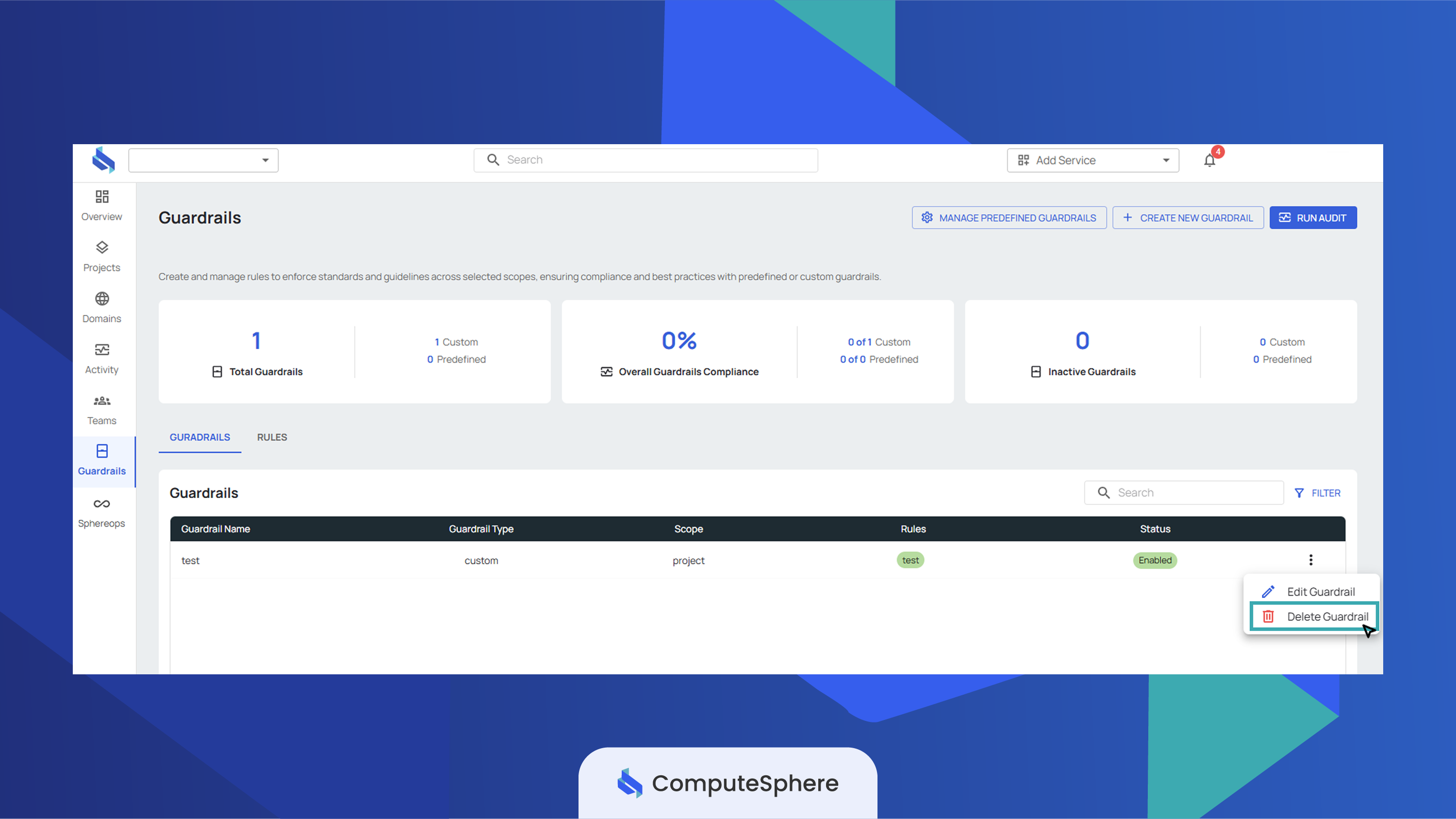
Open the Guardrails tab and click the row's action menu.
-
Click Delete Guardrail and confirm.
Honest limits
- Name is unique per account. Two guardrails in the same account can't share a name.
- Status toggles the whole guardrail, not individual rules. Disable the bundle to silence every rule inside it; remove rules individually to keep the rest evaluating.
- Effect applies to every rule in the bundle. Mixed
block+warnbehavior requires separate guardrails. - Scope is fixed at create. Re-create the guardrail under a new scope if the resource target changes.
- Every change is recorded. Create, update, status toggle, and delete each write an entry the Activity log captures and the audit log keeps for compliance review.
What's next
- Create rules — author the attribute/operator/value checks that this guardrail attaches to.
- Predefined guardrails — assign a platform-provided bundle instead of building from scratch.
- Security → Access controls — who in your account can edit guardrails.
- Activity — the audit trail of every guardrail change.