Predefined guardrails
Predefined guardrails are platform-provided rule bundles that capture common best-practice policies — minimum naming length, descriptive metadata, structured environment names. Assign one to your account and the rules inside it start evaluating on the resource type they cover. The platform owns the rule definitions; you own the assignment and the enabled state.
Use them as a starting point when you want sensible defaults without authoring every rule yourself.
How they differ from custom guardrails
| Behavior | Custom | Predefined |
|---|---|---|
| Author the rules | You | Platform |
| Edit the rules inside | Yes | No |
| Toggle the bundle on/off | Yes | Yes |
| Assign / unassign from the account | n/a | Yes |
| Auto-updates with platform releases | No | Yes |
| Counts against guardrail list | Yes | Yes |
A predefined guardrail surfaces in the same Guardrails list as your custom ones — with type: predefined on the wire and a tag in the console — so you see the full set of policies acting on the account in one view.
Assign and toggle
-
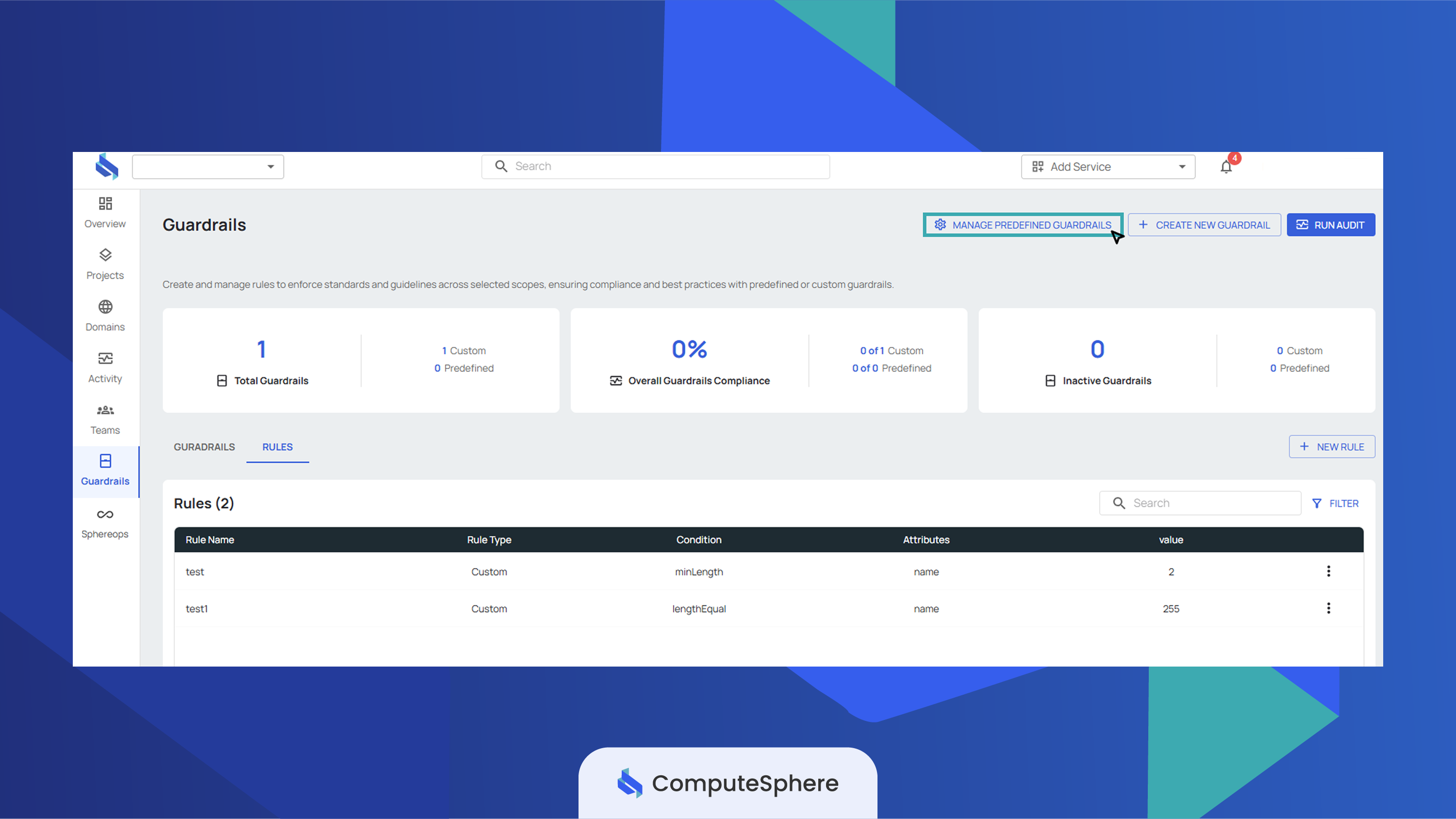
Open the Guardrails tab and click Manage Predefined Guardrails.
-
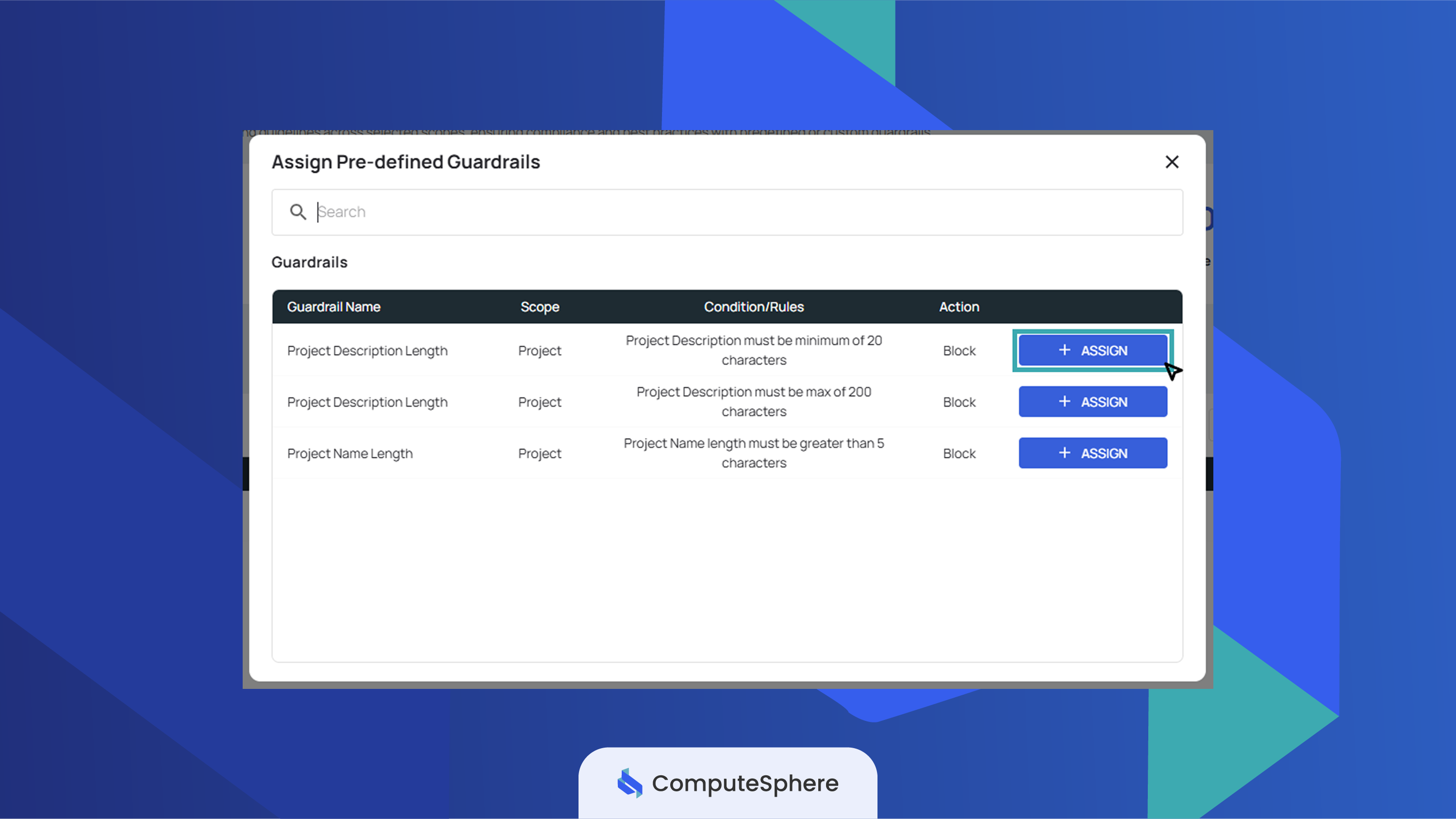
Pick the guardrail you want and click Assign. The bundle attaches to your account and appears in the main Guardrails list, enabled by default.
-
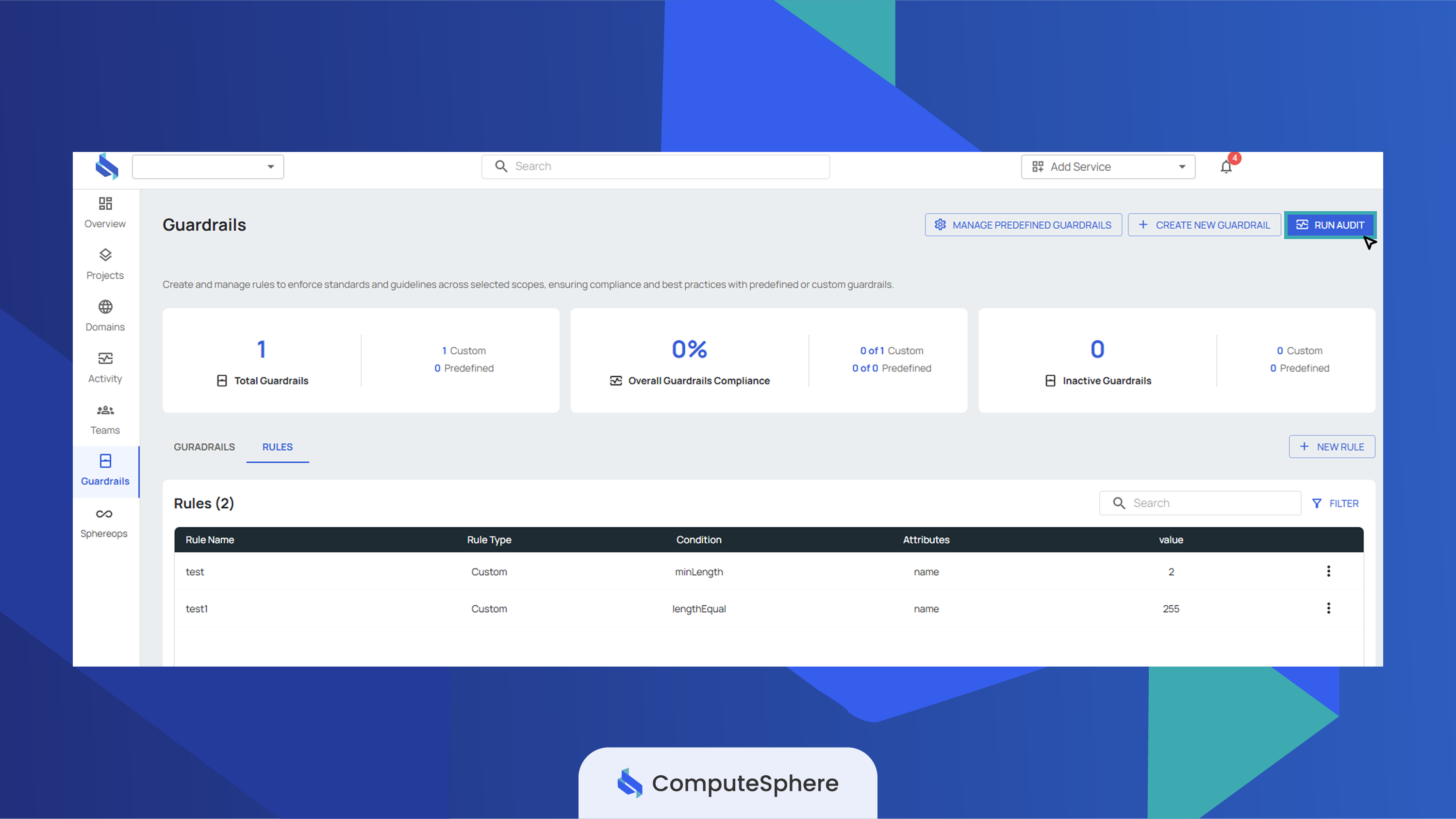
To validate the newly assigned guardrail against your existing resources, click Run Audit from the guardrail list.
To unassign, open the same picker and remove the assignment, or delete the guardrail from the main list — both end the attachment.
To disable a predefined guardrail without removing it, toggle its status off from the row's action menu. The bundle stays assigned but stops evaluating.
Honest limits
- Catalog is small today. A handful of predefined guardrails ship at launch — more bundles are added with platform releases. Use custom guardrails to cover policies the predefined set doesn't yet capture.
- Rules inside are not editable. The bundle is platform-owned. You can enable or disable the whole bundle, but the rules can't be modified or removed. Author a custom guardrail if you need a variation.
- Bundles auto-update. When a platform release ships a new version of the rules inside a predefined guardrail, your assignment picks it up automatically — there's no opt-out short of unassigning the bundle.
- Effect is set by the bundle. The
block/warnmode for a predefined guardrail is defined by the platform. Reassign as a custom guardrail wrapping the same rules if you need a different effect. - Edit access is role-gated. Account
AdminorOwnercan assign, unassign, or toggle predefined guardrails. Other members see them in read-only mode.
What's next
- Create a guardrail — author a custom bundle when the predefined catalog doesn't fit.
- Create rules — when you need a rule the predefined set doesn't include.
- Activity — the audit trail of every assign/unassign/toggle action.
- Security → Access controls — who in your account can manage predefined guardrails.